Author: Daniel Morris

  • Faceit Analyser vs Leetify vs Scope.gg: с какого инструмента начать?

    Faceit Analyser vs Leetify vs Scope.gg: с какого инструмента начать?

    Популярные инструменты для анализа производительности игроков

    Faceit Analyser

    Leetify

    Scope.gg

    Сравнение функций в кратком обзоре

    С какого инструмента начать?

    Часто задаваемые вопросы

    В чем основное различие между Faceit Analyser, Leetify и Scope.gg?

    Analyser бесплатен?

    Какой инструмент лучше всего подходит для начинающих?

    Могут ли эти инструменты помочь мне улучшить свою командную игру?

    Какой инструмент лучше всего подходит для быстрой проверки производительности?

    Заключение

  • Faceit Analyser vs Leetify vs Scope.gg: Which Tool Should You Start With?

    Faceit Analyser vs Leetify vs Scope.gg: Which Tool Should You Start With?

    Achieving higher ranks in competitive games like CS2 may be hard, but not impossible. Especially with the right tools, you can track your performance and identify areas for improvement. This strategy will enable you to climb the ranks more quickly without requiring much effort. There are some really useful tools in the market that make this whole process much easier for you. The famous ones are Faceit Analyser, Leetify, and Scope gg.  We are going to discuss all three of them together in this article.

    Each tool discussed below has its own advantages and disadvantages, but not to worry, we will be recommending our personal favourite as well ;).

    Popular Tools for Player Performance Analysis

    Many gamers use various online tools to analyse their performance. Three of the most popular options are Faceit Analyser, Leetify, and Scope.gg, which are discussed below.

    Faceit Analyser

    When it comes to checking your gaming stats, Faceit Analyser is a tool that you can not overlook. It’s perhaps the most comprehensive tool in terms of analysis and statistics tracking available on the market. It only requires your username or profile URL to work. Luckily, it’s free of cost and shows all the advanced stats like KD ratio, Headshot ratio, ELO, ranking history, win rate, utility usage, weapon usage, and tournament performance all in one place. Additionally, it supports games like CS2, Dota, LoL, and CS2.

    Leetify

    While being popular for its in-depth analysis and AI feedback, Leetify can be a great help in your journey to improvement. It can also act as your personal coach. Its performance reviews are detailed, visual, and coupled with personalized suggestions. The only drawback, however, is that most of its advanced features require a subscription.

    Scope.gg

    Another visually rich analysis tool is scope gg. It tracks statistics such as headshot percentage, map history, performance, and utility usage. One interesting feature is its pre-match analytics, allowing you to study your opponents. This tool is also paid for most of its features.

    Feature Comparison at a Glance

    FeatureFaceit AnalyserLeetifyScope.gg
    Ease of UseVery EasyModerateComplex
    Login RequiredNoYesYes
    Beginner FriendlyYesAverageNot much
    Unique StrengthFast & simple statsAI-based insightsTactical analysis & demos
    CostFreeFree (paid upgrades)Free (paid upgrades)     

    Which Tool Should You Start With?

    Now, as promised, it’s time for our personal recommendation. We may sound a little biased telling you this, but honestly, if you need a detailed analysis of your profile without signing up or paying for anything, Faceit analyser is the tool to use. Its user-friendly UI and detail-driven insights will be enough to make you use it repeatedly.

    However, the other two tools are not bad either. If you can afford their price, they can provide a much more premium experience once you are in the higher ranks. For beginners, we recommend using Faceit Analyser for its simplicity.

    Frequently Asked Questions

    What is the main difference between Faceit Analyser, Leetify, and Scope.gg?

    Analyser is more beginner-friendly, while the latter two are more detail-focused. One more difference is that Scope gg and Leetify are paid and require sign-in, unlike Analyzer.

    Is Analyser free to use?

    Yes, the tool is completely free of cost.

    Which tool is best for beginners?

    For beginners, we recommend our own tool. It’s free and user-friendly. All the important stats are displayed with a single click.

    Can these tools help me improve my team play?

    Yes, all the tools listed have a primary purpose of making you a better team player with their combined analysis features.

    Which tool is best for quick performance checks?

    For quick checks, the analyzer is recommended more as it is quick and free to use.

    Conclusion

    There you have it, folks, a detailed comparison of the best tracking and analysis tools for gamers. Now, it’s more a matter of personal preference to select your favourite, but each tool has its own perks to offer. Our analyzer is more beginner-friendly, but that does not mean it’s less detailed than the other two by any means. Leetify, on the other hand, features a dedicated AI assistant that serves as a coach. Scope gg is more visually rich with its charts and graphs of your performances. That being said, the most important thing for you as a gamer is to regularly check and analyze your performance. This way, you will stay up-to-date and ahead of your competitors.

  • Track and Improve Your CS2 Stats: A Complete Guide for Gamers

    Track and Improve Your CS2 Stats: A Complete Guide for Gamers

    Counter-Strike 2, also known as CS2, is a multiplayer game famous for its competitiveness. Becoming a pro in a hardcore game like this requires not only significant effort but also a smart mind. One approach that most players take is to study their stats and identify areas for improvement regularly. Now, how would you do the same? Let’s discuss it in detail so no stone is left unturned.

    Advantages of tracking your CS2 stats

    Tracking stats is not just about looking at the numbers, but about understanding how to play the game. There are the following advantages that attract gamers to track their CS2 stats.

    Measure Progress

    Before thinking of competing with other players, you should first compete with your past self. Keep track of your progress and strive to improve every day. With stats tracking tools, you can have a numerical measurement of your progress.

    Identify Strengths

    Tracking tools enable you to identify your strengths. Once you know your strong areas, you can utilize them to climb the ranks faster.

    Spot Weaknesses

    Similarly, these tools excel at identifying any weak points. Before entering a competition and attempting a rank push, it’s helpful to identify your weaknesses and work on them.

    Team Coordination

    You can analyze your teammates right before the matchup to see what they are great at. It will also help you identify your teammates’ suitable roles.

    Set Goals

    Your CS2 stats show your position in the game. This helps in setting realistic goals.

    Best Ways to Check Your CS2 Stats for Free

    Stay ahead of the curve by using intelligent tracking tools. View stats like KD, win rate, and ELO rankings either by using the in-game menu or advanced tools available online. Below, we have listed some of the best ways to check statistics in terms of details and ease of use.

    Open CS2 and View Your Profile

    You can access basic stats like K/D, total wins, and matches played by opening your CS2 profile in Steam. However, it does not provide deeper insights, nor does it allow you to analyze your teammates’ profiles. The built-in stats are limited to a few basic figures with almost no visual or personalized analysis.

    Use Online CS2 Stats Trackers

    Now, if you need more personalized insights, along with in-depth analysis of every figure that contributes to your overall performance, then consider using online trackers. The famous one is Faceit Analyser, specifically built for CS2 players. Its beginner-friendly analysis and detailed reports, featuring over 120 statistics and figures, are its prominent features. Other tools, Leetify and Tracker.gg, are famous for visually rich insights and AI assistants; these are paid tools. 

    Analyse Your Performance

    Once you have your CS2 stats, it is essential to study them carefully. Look at areas where you are performing well, such as a high win rate or strong weapon accuracy. Similarly, note weak points, such as low clutch success or poor map performance. Utilize the reports generated by online tools to get a better idea of your performance and plan for the future.

    Track Progress Regularly

    Regularly analyze and track your in-game statistics. Keep adding more skills to your arsenal and always cross-check the data you get in order to have a more balanced and factually correct overview.

    FAQs

    What are the most essential CS2 stats to check?

    We recommend keeping a regular track of your KD, win rate, clutch performance, and ELO. This will help you plan more effectively.

    Why should I track my CS2 stats?

    Tracking your stats is important if you want to identify your weak areas and improve upon them. It also shows you the techniques that work best with your style of play.

    How can I check my CS2 stats for free?

    We recommend using Faceit Analyser. It’s simple, free, and requires no signup.

    How often should I check my CS2 stats?

    Ideally, once every day if you are a regular player. If not, then a weekly check is recommended.

    Conclusion

    Improving in a game like CS2 requires consistent effort and planning. You need to play at regular intervals and also keep track of your competitors using stats tracking tools. Always have your own profile bookmarked on these sites, and correct your mistakes regularly.

  • Отслеживайте и улучшайте свою статистику в CS2: полное руководство для геймеров

    Отслеживайте и улучшайте свою статистику в CS2: полное руководство для геймеров

    Counter-Strike 2 (CS2) — динамичная и конкурентная игра, где каждое действие имеет значение. Если вы хотите стать профессиональным игроком, первым шагом станет изучение своей статистики. Эта статистика включает в себя ключевые показатели эффективности, такие как соотношение убийств и смертей, процент побед и точность хедшотов, которые раскрывают ваши сильные стороны и области, требующие улучшения. К счастью, вы находитесь в правильном месте, чтобы узнать о проверке игровой статистики. В этом руководстве вы найдете простые способы отслеживания своей статистики в CS2 и бесплатного улучшения игрового процесса.

    Почему стоит отслеживать статистику в CS2?

    Отслеживание статистики — это не просто просмотр цифр, а понимание того, как играть в игру. Есть следующие преимущества, которые привлекают геймеров к отслеживанию своей статистики в CS2:

    Оценка прогресса

    Игровая статистика показывает, как меняется эффективность игрока с течением времени. Сравнивая прошлые и текущие показатели, можно легко определить свои сильные и слабые стороны.

    Определите сильные стороны

    Отслеживание статистики позволит вам понять свои сильные стороны и разработать эффективные стратегии. Таким образом, вы будете эффективно выступать в каждом матче.

    Определите слабые стороны

    Низкие показатели в таких областях, как процент попаданий в голову или критические ситуации, указывают на то, где вам нужно больше практики. Выявление этих слабых сторон позволит легче исправить их и превратить в сильные стороны.

    Координация команды

    Получение данных о ваших товарищах по команде позволит вам оценить их эффективность в разных ролях, например, наводчике, поддержке или снайпере. Используя эту информацию, вы сможете разработать более эффективную командную стратегию для более эффективной работы.

    Поставьте цели

    Ваша статистика в CS2 показывает ваше положение в игре. Это позволяет легче ставить реалистичные цели и сохранять мотивацию для дальнейшего совершенствования.

    Лучшие способы бесплатно проверить свою статистику в CS2

    Проверить свою статистику в CS2 проще, чем вы думаете. Если вы хотите узнать свой коэффициент убийств/смертей, процент побед или прогресс ELO, вы можете использовать внутриигровые меню или бесплатные инструменты для отслеживания статистики. Вот несколько простых способов начать:

    Откройте CS2 и просмотрите свой профиль

    Откройте Counter-Strike 2 из библиотеки Steam и перейдите в свой профиль. Здесь вы получите доступ к своей личной статистике, включая сыгранные матчи, общее количество побед, соотношение убийств и смертей (K/D) и недавнюю активность в игре. Однако встроенная статистика ограничена и не предоставляет более подробной информации, такой как графики прогресса, показатели эффективности на конкретных картах или точность. Этот метод подходит только тем, кто хочет получить поверхностное представление о своем прогрессе.

    Используйте онлайн-трекеры статистики CS2

    Если вы хотите глубже изучить свою игру, бесплатные онлайн-инструменты для отслеживания — лучший вариант. Эти инструменты предоставляют подробную статистику, которую вы не найдете в самой игре. Популярные трекеры, включая Фейсит анализа, Leetify и Tracker.gg, показывают расширенную статистику игроков, такую ​​как процент попаданий в голову, эффективность захвата, использование оружия и другие. Этот метод идеально подходит для геймеров, которые хотят улучшить свои игровые и стратегические навыки.

    Анализируйте свою результативность

    После того, как вы собрали статистику в CS2, крайне важно её внимательно изучить. Обратите внимание на области, в которых вы добились успеха, например, высокий процент побед или высокую точность оружия. Аналогичным образом, отметьте слабые места, такие как низкий процент успешных захватов или низкая производительность карты. Собирая эти данные, вы сможете легко улучшить свой общий стиль игры. Таким образом, проверка игровой статистики обеспечит стабильный рост и поможет вам стать лучшим игроком.

    Регулярно отслеживайте прогресс

    Если вы хотите улучшить свои показатели, регулярно проверяйте статистику в CS2. Возьмите за привычку отслеживать свою результативность после каждых нескольких матчей или раз в неделю. После этого вы сможете увидеть, как ваши навыки растут со временем, и выявить закономерности в игре. Регулярный отслеживание также мотивирует вас, наглядно отслеживая свой прогресс. Чем чаще вы проверяете и корректируете статистику, тем быстрее будете подниматься в рейтинге.

    Часто задаваемые вопросы

    Какие показатели в CS2 наиболее важно проверять?

    Статистика включает в себя соотношение убийств и смертей, процент побед, точность хедшотов и эффективность захватов. Эти данные показывают вашу эффективность в матчах и указывают на области, требующие тренировки.

    Зачем отслеживать статистику в CS2?

    Проверка показателей выявляет ваши сильные стороны, такие как высокая точность оружия, и слабые, включая успешность при низком уровне захвата. Получив эту информацию, вы сможете сосредоточиться на нужных областях и эффективнее совершенствоваться.

    Как бесплатно проверить статистику в CS2?

    Её можно просматривать разными способами. Для проверки базовой статистики, такой как количество сыгранных матчей и общее количество побед, перейдите в свой профиль CS2. Для получения более подробной информации используйте бесплатные трекеры, такие как Фейсит анализа, Leetify или Tracker.gg.

    Как часто следует проверять статистику в CS2?

    Если вы хотите стать профессиональным игроком, вам необходимо проверять её регулярно. Это поможет вам сохранять мотивацию и продолжать совершенствоваться.

    Может ли отслеживание статистики в CS2 помочь в командной игре?

    Да, цифры показывают эффективность ваших товарищей по команде в различных ролях, таких как винтовка, поддержка или AWP. Это упрощает разработку эффективных командных стратегий для повышения производительности.

    Заключение

    Отслеживание статистики в CS2 — один из самых простых способов улучшить свою игру и подняться в рейтинге.Проверяя свои показатели, включая соотношение убийств и смертей, процент побед и точность хедшотов, вы сможете сосредоточиться на правильных навыках и разработать грамотную стратегию. Независимо от того, используете ли вы внутриигровую статистику или бесплатные инструменты, такие как Фейсит анализа и Leetify, главное — продолжать учиться на своих результатах и ​​превращать их в реальный прогресс.

  • What Is RWS In Faceit Stats? A Simple Guide To Understanding ADR & KAST

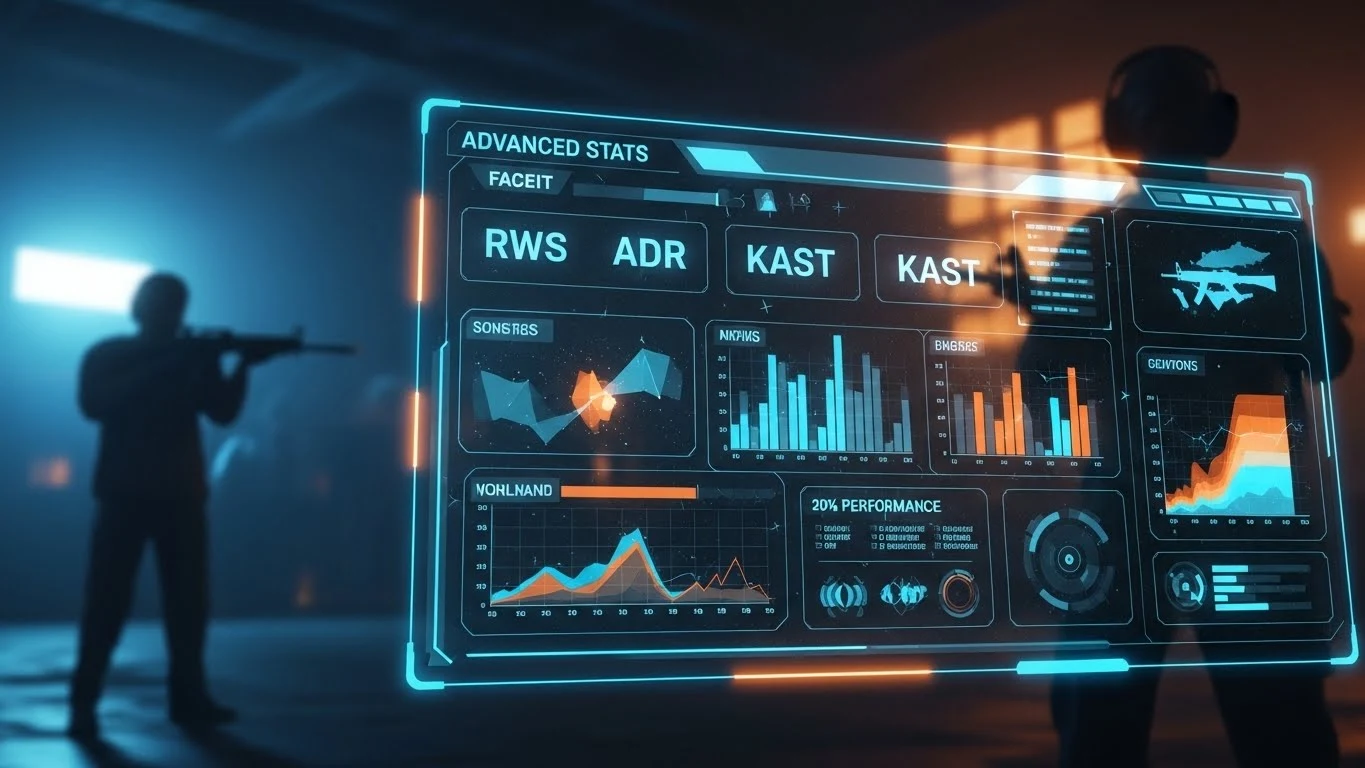
    What Is RWS In Faceit Stats? A Simple Guide To Understanding ADR & KAST

    Are you checking your basic FACEIT stats regularly but still not seeing improvement? No need to worry, you are not alone in feeling this way. Many players make the same mistake by ignoring RWS (Round Win Share) and other advanced FACEIT stats. These numbers reveal how much you truly contribute to your team in each round instead of getting points individually. Understanding RWS and other advanced stats can completely change how you view your Gameplay. In this article, we will explain why they matter and how to use them to get better.

    Knowing RWS and other advances faceit stats

    Want to level up your rank in the game? Then this is the time to know advanced FACEIT stats, such as RWS. These numbers help you understand where you are strong and where you can get better. 

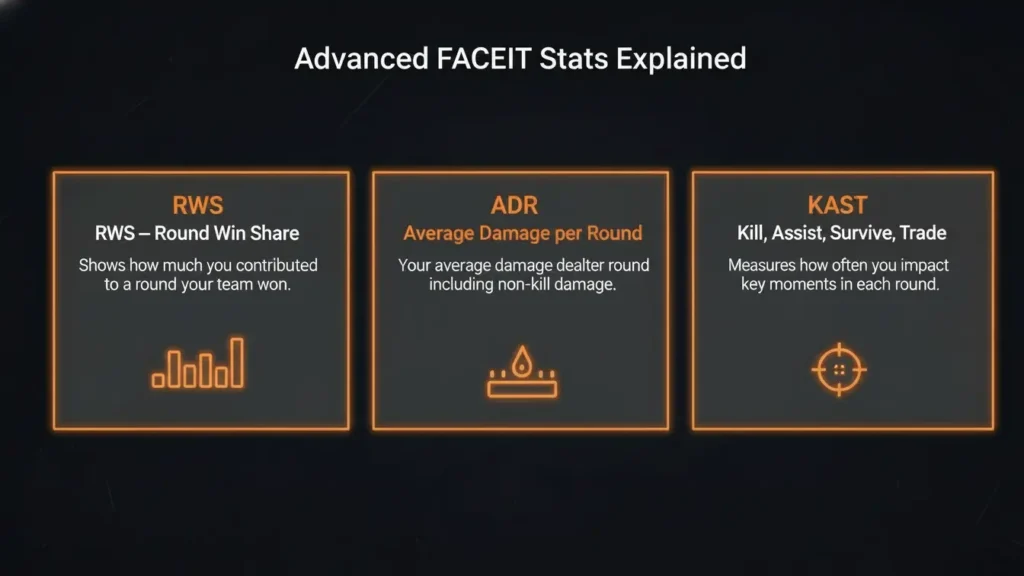
    RWS (Round Win Share)

    RWS means how much you contribute when your team wins a round. It measures your impact on the teamwork winning a round. For example, if you secure the last kill that wins the round, your RWS will be higher because you made a key difference in that victory.

    ADR (Average Damage per Round)
    ADR shows how much damage you have done to your enemies in each round. Even if you do not get the final kill, every bit of damage builds pressure on your opponents. This makes it easier for your teammates to finish the fight and win the round.

    KAST (Kill, Assist, Survive, Trade)
    KAST indicates your involvement in the key moments of a round. These include getting a kill, helping a teammate, staying alive, and trading a kill. A higher KAST means you are playing smart, supporting your team, and making a real impact throughout the match.

    Why Understanding Advanced FACEIT Stats Matters

    Understanding these stats matters because they give you a clear picture of your Gameplay. Although basic numbers like K/D highlight your individual skill, advanced stats reveal how much you actually contribute to your team winning a round. Therefore, knowing these stats helps you focus on areas that truly matter. 

    Using Advanced FACEIT Stats to Get Better

    It is not easy to become a pro player. You need to understand how to use advanced FACEIT stats to improve your Gameplay. Follow the simple steps below to boost your performance. 

    Review Your Stats Regularly

    You should check your RWS, ADR, and KAST regularly. It highlights areas where you are playing well and where you need more work. Faceit Analyser makes it easy for you to track your game stats daily. The more often you review advanced faceit stats, the faster you will fix your weak points and grow as a pro.

    Compare Your Stats

    After checking your numbers, compare them with those of other players who have the same rank as you. For example, if your RWS is lower, try to stay alive longer or help your team more in each round. If your ADR is low, practice using grenades to deal more damage. This simple method lets you show what you want to improve to achieve higher ranks.

    Study Winning Rounds

    It is important to study the matches you won. With this, you will find where your stats made the difference. You should analyze those actions and repeat them in future games. This helps you understand what strategies and habits lead to success.

    Frequently asked questions

    What is RWS in FACEIT CS2?

    RWS stands for Round Win Share. It shows how much you contribute to your team’s success while playing CS2. 

    How do I calculate RWS in CS2?

    Every team that owns a round in the match gets 100 RWS points. Afterwards, they are divided based on how much you contribute to that success. For example, if you deal 140 damage and your teammates deal 360, your share will be 140 ÷ 500 × 100 = 28 RWS for that round.

    What does ADR mean on Faceit?

    Average Damage per Round means how much damage you deal to enemies on average in each round. It is calculated to divide your total damage by the number of rounds played in the match.

    What is KAST in CS2 Stats?

    KAST in CS2 stats stands for Kill, Assist, Survive, and Trade. It shows how often you take part in key moments, including getting a kill, helping a teammate, or staying alive during a round.

    Conclusion

    Understanding RWS and other advanced Faceit stats gives you a clear direction for improving your CS2 performance. These numbers are not about simple kill and death percentages. However, they show your actual progress in the game. Studying your stats and learning from your wins make it easy for you to achieve a higher rank.